 +1 (774)478-6704
 Order@premiumonebackdrops.com


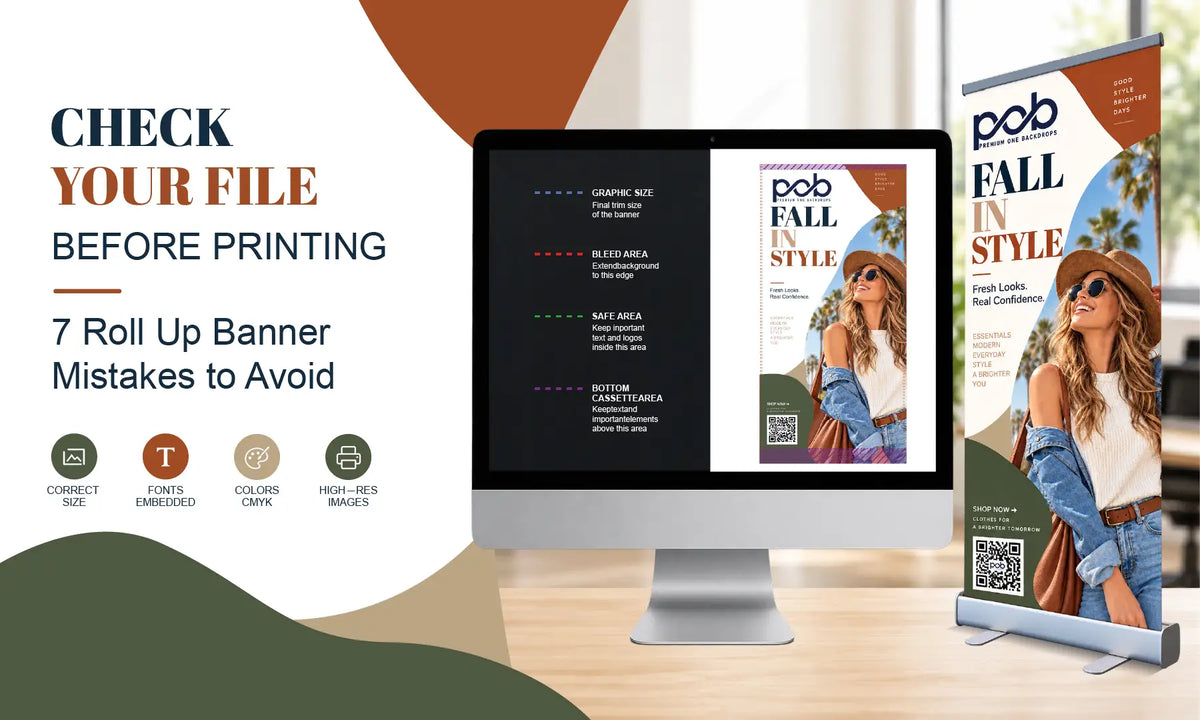
A roll up banner may look simple, but the artwork still needs to match the exact product, size, and printable area. Many print problems start before production, when the wrong template is used, low-quality artwork is enlarged, or important content is placed where it may not remain visible after installation.
Before approving your artwork, check these seven common roll up banner printing mistakes and make sure the final file matches the banner you are actually ordering.
1. Using the Wrong Roll Up Banner Template
The mistake: Starting the design with a generic retractable banner template or a template from another product.
Why it matters: Different banner models and sizes can use different graphic dimensions and installation areas. The wrong template can lead to cropped artwork, incorrect proportions, or important content sitting outside the intended visible area.
What to check: Confirm the exact banner model and size before designing. If you are ordering the Budget Roll Up Banner , use the artwork template that matches the selected size rather than reusing a file from another banner stand.
2. Reusing the Same Layout for Different Banner Sizes
The mistake: Stretching or shrinking one finished design to fit another banner size.
Why it matters: Resizing the entire artwork can change the balance between the headline, logo, image, QR code, and supporting text. A layout that works on a narrow banner may look empty, crowded, or poorly proportioned on a wider format.
What to check: Place the original design elements into the correct template and adjust them individually. Keep the same brand colors and visual direction, but treat each banner size as its own layout.
If you are still deciding what information should appear on the graphic, our Roll Up Banner Design Guide: What Should You Put on a Retractable Banner? explains how to organize the logo, headline, image, supporting message, and call to action before preparing the final print file.
3. Using Low-Quality Logos or Images
The mistake: Enlarging screenshots, social media images, compressed email attachments, or small JPG and PNG files for large-format printing.
Why it matters: An image that looks clear on a phone or computer screen may become soft or pixelated when printed at full banner size. Changing the file extension does not restore missing image detail.
What to check: Use the original logo file whenever possible. Vector files such as AI, EPS, SVG, or vector PDF are usually preferred for logos because they can be enlarged more reliably. Photographs and product images should be reviewed at the size they will actually appear in the final artwork. If important details already look soft, request a better source file before approval.
4. Placing Important Content Too Low
The mistake: Treating the entire artwork file as if every part will remain fully visible after the banner is installed.
Why it matters: Part of the lower graphic may be used for attachment or remain inside the retractable base. A website, QR code, phone number, or other important information placed too low may be difficult to see once the banner is assembled.
What to check: Keep essential content inside the safe visible area shown on the correct product template. Background colors, full-bleed images, and simple patterns can extend farther, but important text and calls to action should stay comfortably within the visible section.

5. Putting Too Much Information on the Banner
The mistake: Adding a long company introduction, several products, detailed specifications, multiple offers, and more than one call to action to the same narrow graphic.
Why it matters: Roll up banners are often viewed while people are walking through an event space. When too many elements compete for attention, visitors may not know what to read first or what action to take.
What to check: Make sure the banner communicates one main purpose. The brand, headline, main visual, and next step should be easy to identify quickly. Move detailed specifications, long descriptions, or additional services to a webpage, brochure, or QR-linked landing page.
6. Not Testing the QR Code in the Final Artwork
The mistake: Testing only the original QR code file before placing it into the banner design.
Why it matters: Resizing the code, reducing contrast, placing it over a detailed background, or positioning it too low can affect how easily visitors scan it.
What to check: Test the QR code after it has been placed in the final artwork. Confirm that it opens the correct mobile-friendly destination, leave clear space around it, and use a short instruction such as “Scan to View Products” or “Scan to Request a Quote.”
A reduced-size paper print can help you catch layout or contrast problems, but it cannot confirm the real scanning distance of the finished full-size banner. The printed QR code on a scaled-down proof is physically smaller than it will be on the final display. Use the final artwork dimensions when judging QR code size, and test the finished banner again after printing.
7. Approving the Wrong or Incomplete Final File
The mistake: Approving the design after checking only the overall appearance.
Why it matters: Once a custom graphic enters production, changing text, replacing an image, correcting a QR destination, or moving content may require the graphic to be produced again.
What to check: Before final approval, confirm:
- Correct banner product and size
- Correct artwork template
- Spelling and event information
- Phone numbers, email addresses, and URLs
- Logo and image quality
- Safe-area placement
- QR code destination and functionality
- Correct final artwork version
The file you approve should be the exact version you want printed. Leave enough time before your event for artwork review, revisions, production, shipping, and a test setup after delivery.

Roll Up Banner Printing FAQs
Can I use an existing banner artwork file for a new roll up banner?
Only after confirming that the new banner uses the same graphic dimensions and artwork requirements. If the product or size changes, place the design into the correct template and check the layout again rather than assuming the old file will fit.
When should I send my artwork for review?
Send the artwork after you have selected the exact banner product and size. This allows the file to be checked against the correct template before production and leaves time to correct image quality, safe-area placement, QR codes, or other file issues.
Check the File Before It Reaches Production
Most roll up banner printing problems are easier to prevent in the artwork stage than to correct after printing. Use the template for the exact product, review the file at its intended print size, keep essential content within the visible area, and approve only the final version you want produced.
Need help confirming your artwork? Contact the POB team with your selected banner, size, artwork file, and event date so the file requirements can be checked before production.