 +1 (774)478-6704
 Order@premiumonebackdrops.com


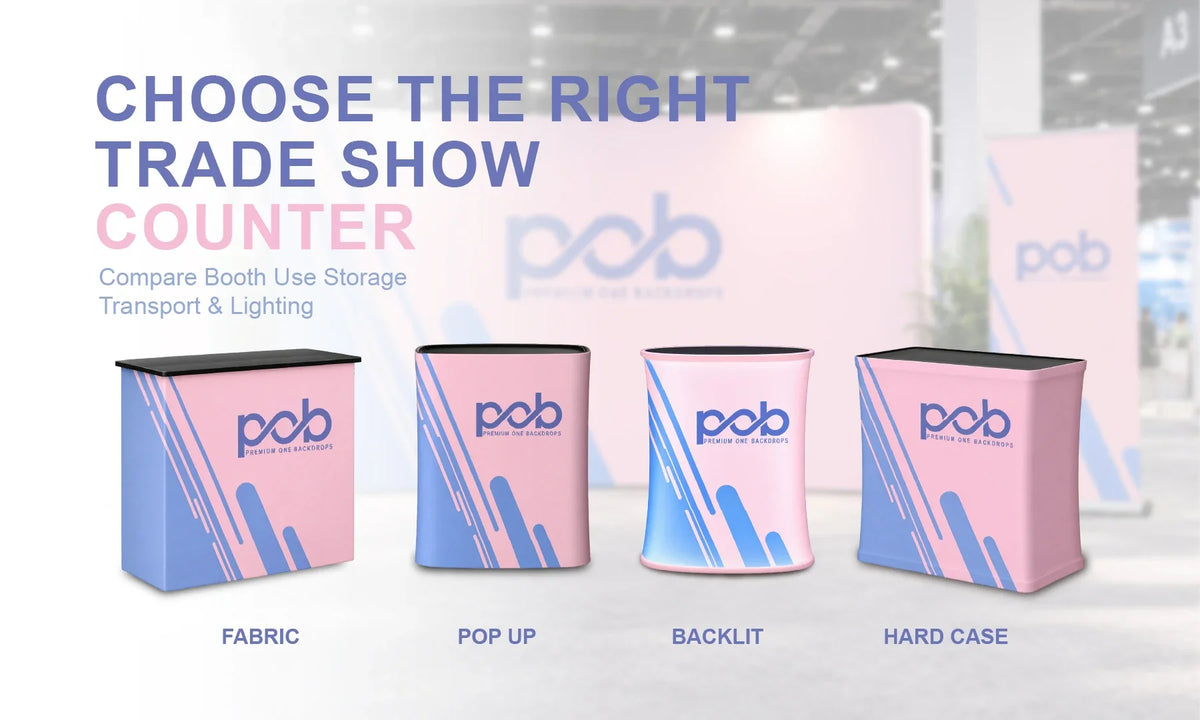
A trade show counter may take up less space than a backdrop, but it often becomes one of the busiest parts of a booth. It can welcome visitors, hold a tablet, display samples, support a demonstration, or give staff a natural place to start conversations.
The right counter depends on how your team will use it, how much booth space you have, what needs to sit on or inside it, and how the display will travel between events. Before browsing our Counter & Podium Displays, use the checks below to narrow down the options that actually fit your setup.
1. Start With How You Will Use the Counter
Start with the activity rather than the counter style. A reception point may only need enough space for business cards, a tablet, and a QR-code sign, while a product demonstration may require a larger working surface and a confirmed weight capacity.
For lead collection, think about what staff will keep on the counter throughout the day, such as a scanner, laptop, forms, brochures, or samples. If visitors need to approach from more than one side, shape and placement can also affect how comfortably people interact with your team.
2. Compare the Main Counter Types at a Glance
Different counter structures solve different problems. Use this table as a quick decision tool rather than treating each counter type as a completely separate category.
| Counter Type | Best For | What to Check |
|---|---|---|
| Fabric Counter | Reception, branding, and light product displays | Shape, countertop area, supported weight, and storage availability |
| Pop Up Counter | Check-in stations and repeated events | Assembly method, graphic attachment, shelf options, and packed size |
| Backlit Counter | Product launches and illuminated booth setups | Power access, lighting components, cable placement, and transport |
| Hard Case Podium | Frequent travel and dual-purpose transport | Interior capacity, packed weight, wheels, and conversion setup |
If you are mainly comparing structure, portability, and travel needs, our Fabric Counter vs. Pop Up Counter vs. Hard Case Podium guide goes deeper into the differences between these three formats.

3. Check the Booth Footprint and Counter Placement
A counter should create a useful interaction point without becoming a barrier across the booth entrance. In a 10x10ft space, placing a compact counter near one front corner can leave the opposite side open for visitors while still giving staff a defined working area.
For example, a compact Square Fabric Counter can provide a clear reception or branding point without taking over the booth. The exact position still depends on the backdrop, monitors, banner stands, product displays, and visitor flow around it.
Do not plan from counter dimensions alone. Leave room behind it for staff and in front for visitors to stop and talk. Also check sightlines so the counter does not cover the main logo or message on the backdrop.
For more detailed booth-layout planning, see our Trade Show Counter Size and Placement Guide for 10x10 Booths.

4. Confirm Countertop Space and Weight Capacity
List everything that will remain on the countertop during the event. A tablet and brochures create very different requirements from product samples, demonstration tools, a laptop, or other equipment.
Measure the largest items and leave enough working space for staff to use them comfortably. Do not assume that a wider countertop automatically supports more weight. Load capacity depends on the specific structure, so check the specifications for the exact counter you plan to order.
If you need a counter that can be collapsed between events, the Pop Up Display Counter is one option to compare. Before choosing it, check the selected configuration, countertop requirements, graphic option, and how the complete unit packs for transport.
5. Decide Whether You Need Storage
Internal storage can be useful for keeping brochures, bags, samples, cables, and supplies out of sight, but it is not a standard feature of every trade show counter.
Some models include shelves or accessible internal areas, while others are primarily designed as a branded structure with a countertop. An enclosed-looking fabric exterior does not automatically mean there is usable storage inside.
If storage is essential, confirm whether the exact model includes a shelf, how the compartment is accessed, and what can realistically fit inside. Storage requirements should be checked before choosing a shape simply because it looks good in the booth.
6. Decide Whether Backlighting Is Worth the Extra Setup
Backlighting can make the counter part of the visual system rather than just a working surface. It is particularly useful when the booth already uses illuminated graphics or when the counter needs to attract attention in a busy exhibition hall.
A product such as the Curved Spring Up Display Counter with LED Lights combines a portable counter structure with illuminated branding. Before choosing a backlit model, however, confirm where power will come from, how cables will be routed, which lighting components are included, and whether the additional parts fit your transportation plan. :chatgpt-content-reference{index="1"}
If you are still deciding whether the extra visual impact justifies the additional power and setup requirements, read our Backlit vs. Non-Backlit Trade Show Counters: Is LED Worth It? comparison.
7. Think About Transportation and Repeated Setup
For exhibitors attending multiple events, the packed version of the counter can matter just as much as its assembled appearance. Check the packed dimensions, total weight, number of packages, and whether one person can move the display between the vehicle, loading area, and booth.
A Hard Case Trade Show Podium serves a different role because it can function as both a transportation case and a branded podium at the event. This can be useful for exhibitors who already need to transport compatible booth hardware, but the internal capacity, packed weight, wheels, and vehicle access should still be checked before ordering. :chatgpt-content-reference{index="2"}
Also think about what happens after the show. Frames, graphics, countertops, lighting components, and accessories need to be repacked and stored until the next event. A simpler counter may be more practical for a team that attends shows frequently and values consistent setup over extra features.
8. Check Exactly What You Are Ordering
One of the easiest mistakes is selecting the wrong product configuration. Depending on the listing, you may be ordering a complete counter, replacement graphic, or hardware only. Always review the selected option before checkout.
Complete Counter Display
Check which components are included with the exact model, such as the frame, printed graphic, countertop, shelf, lighting components, power accessories, or carrying bag. Do not assume that features shown on one counter are standard across the entire collection.
Replacement Graphic Only
Order a replacement graphic only when you already have compatible hardware. Similar-looking counters from different manufacturers may use different dimensions, seams, graphic tension, or attachment methods.
If the original counter came from another supplier, confirm the exact frame dimensions and hardware structure before ordering a replacement graphic.
Hardware Only
If you plan to reuse an existing graphic, make sure it was produced for the exact replacement structure. Even small differences in frame size, shape, or attachment method can prevent an existing graphic from fitting correctly.
9. Plan Around Your Event Date
Allow enough time for artwork preparation, proof approval, production, and delivery. More complex systems, especially illuminated counters, may also need additional setup planning once they arrive.
Before the event, assemble the counter and test the actual tablet, samples, equipment, or supplies you plan to use. This gives your team time to identify space, storage, stability, weight, or cable issues before reaching the show floor.
Trade Show Counter Buying FAQs
What Size Counter Works Best in a 10x10 Booth?
Choose a counter that leaves enough room for visitor entry, staff movement, and other displays. A compact counter near one front corner can work well, but the final position should be based on the complete booth layout.
Do All Trade Show Counters Include Storage?
No. Some models include shelves or accessible compartments, while others provide little or no usable storage. Check the exact product configuration before ordering.
Can I Put Heavy Equipment on a Trade Show Counter?
Only if the equipment falls within the supported weight capacity of that specific model. If the product specifications do not provide a clear load rating, confirm it with the supplier before placing heavy equipment on the counter.
Can I Order a Replacement Graphic for an Existing Counter?
Yes, if a compatible replacement graphic is available. Confirm the counter model, dimensions, shape, seams, and attachment method before ordering, especially when the existing hardware came from another supplier.
Choose a Counter That Works With Your Booth
The best trade show counter is the one that supports what your team actually needs to do during the event. Start with its purpose, then check booth footprint, countertop capacity, storage, transportation, lighting requirements, and the exact product configuration before ordering.
If you are unsure which option fits your event, contact the POB team with your booth size, planned counter use, items you need to display, and event date.